Project Hub
Start from the project, not the tool
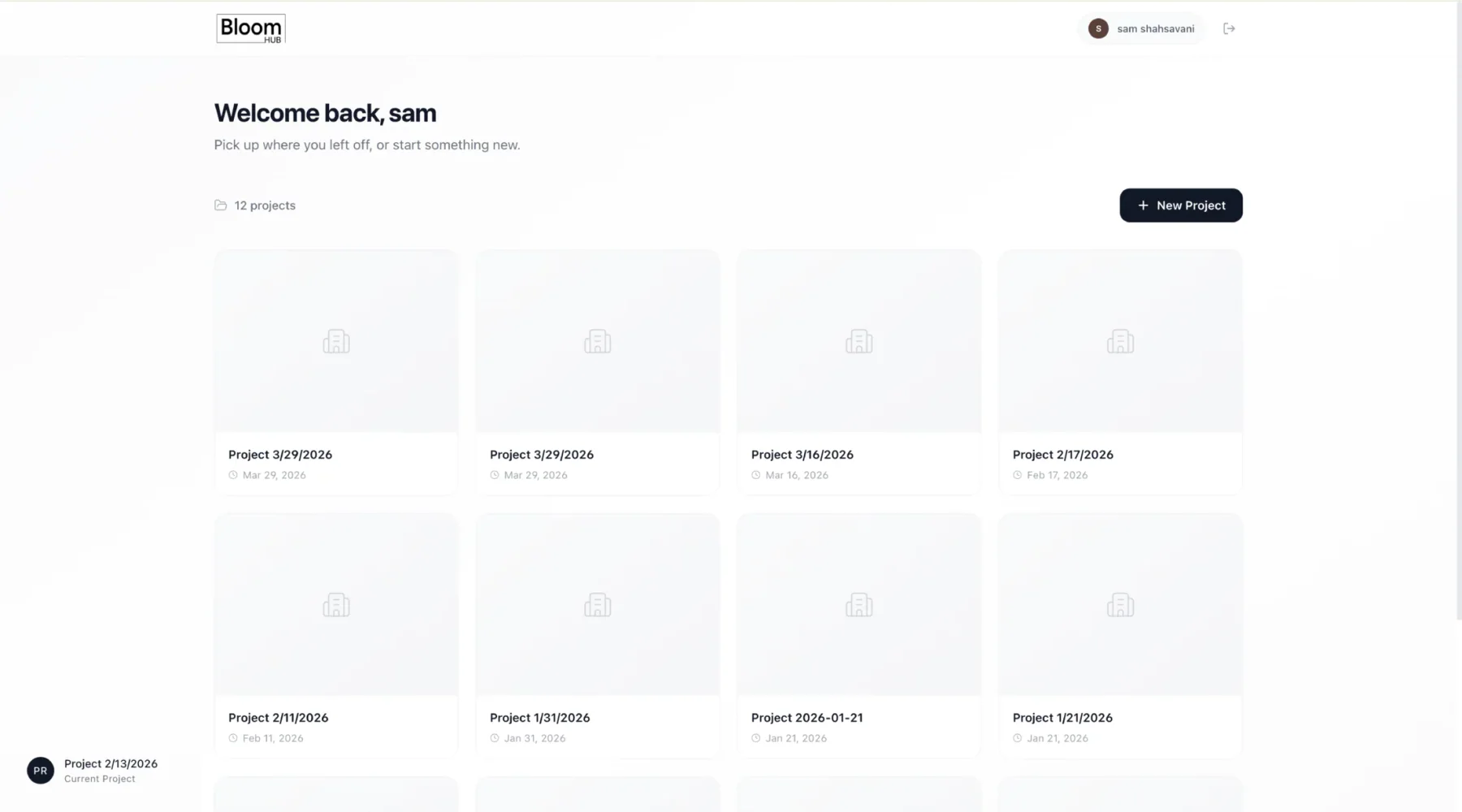
The dashboard made Bloom Hub feel like a workspace: create a project, reopen it, and keep design intelligence attached to that project instead of scattered across one-off tools.
I built Bloom Hub as a private design-and-information hub for Bloom Architects: a place to start projects, test AI design tools, run zoning and site analysis, manage documents, and keep project intelligence in one workspace.
Built as a Bloom Architects workspace with project context at the center.
AI ideation, program massing, and sketch-to-3D layout generation lived inside one project context.
Zoning, ZoningPal reports, site finding, documents, and project chat sat beside the design tools.
React, Three.js, FastAPI, Supabase, PostGIS, CadQuery, Gemini Vision, GLB and IFC-oriented output.
One tool can generate an image. Another can show a map. Another can store a PDF. Bloom Hub tried to make those separate actions feel like one project workspace.
React, Vite, and React Three Fiber powered a project dashboard, authenticated routes, feature modules, layer controls, selectable volumes, imported models, camera state, and 3D interaction.
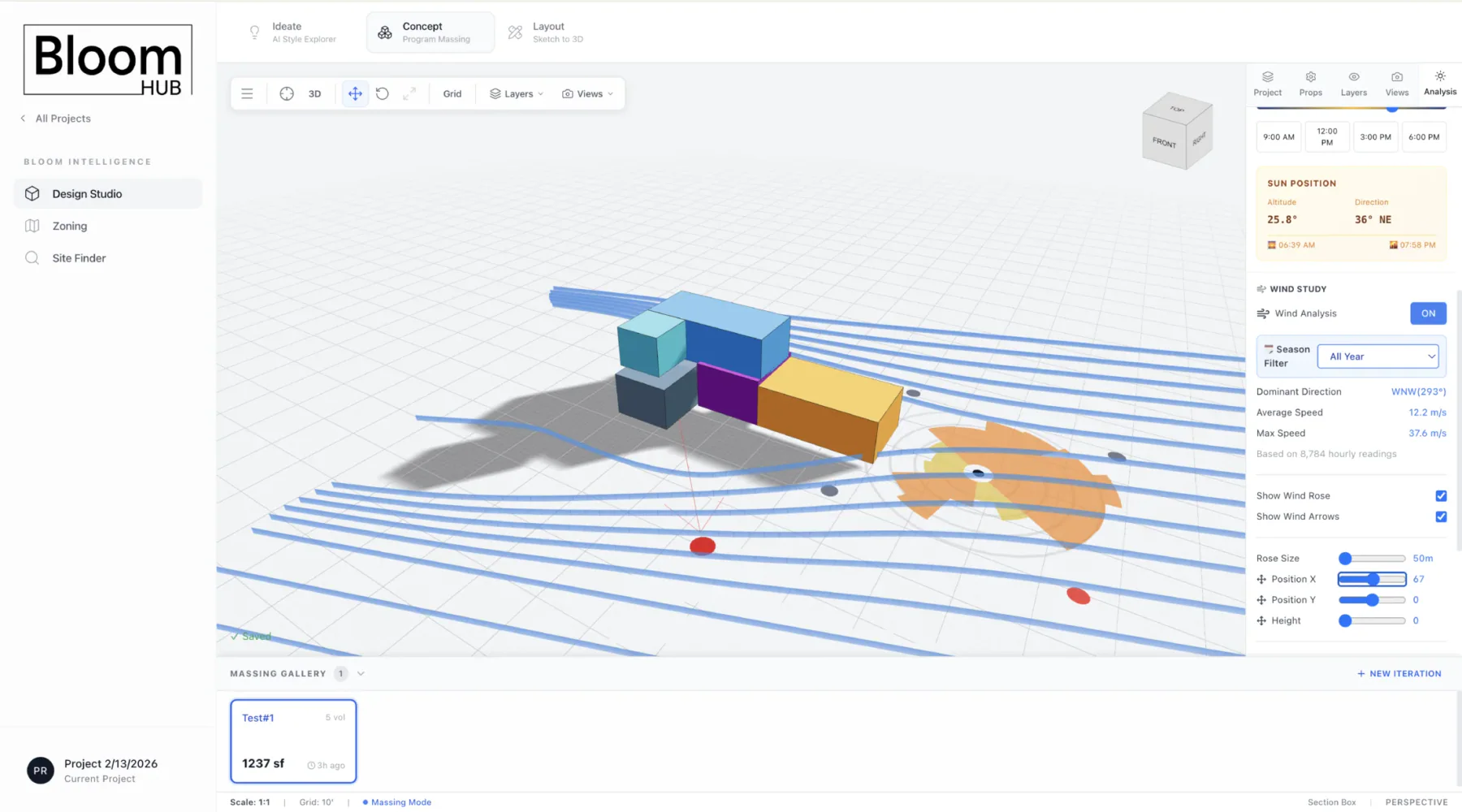
The workspace combined concept generation, layout processing, zoning, site finding, assets, and concierge features with solar/shadow and wind-rose overlays for design context.
The layout pipeline moved from wall tracing and space segmentation into scale detection, room labeling, parametric geometry, GLB preview, and BIM/IFC-oriented output.
Supabase handled auth, project state, saved iterations, camera state, uploaded assets, reports, and conversation records. PostGIS supported zoning and parcel-scale site-finding queries.
Sketch-to-3D was one strong module inside a larger architecture workspace for design exploration, feasibility, project context, and AI assistance.
The dashboard made Bloom Hub feel like a workspace: create a project, reopen it, and keep design intelligence attached to that project instead of scattered across one-off tools.
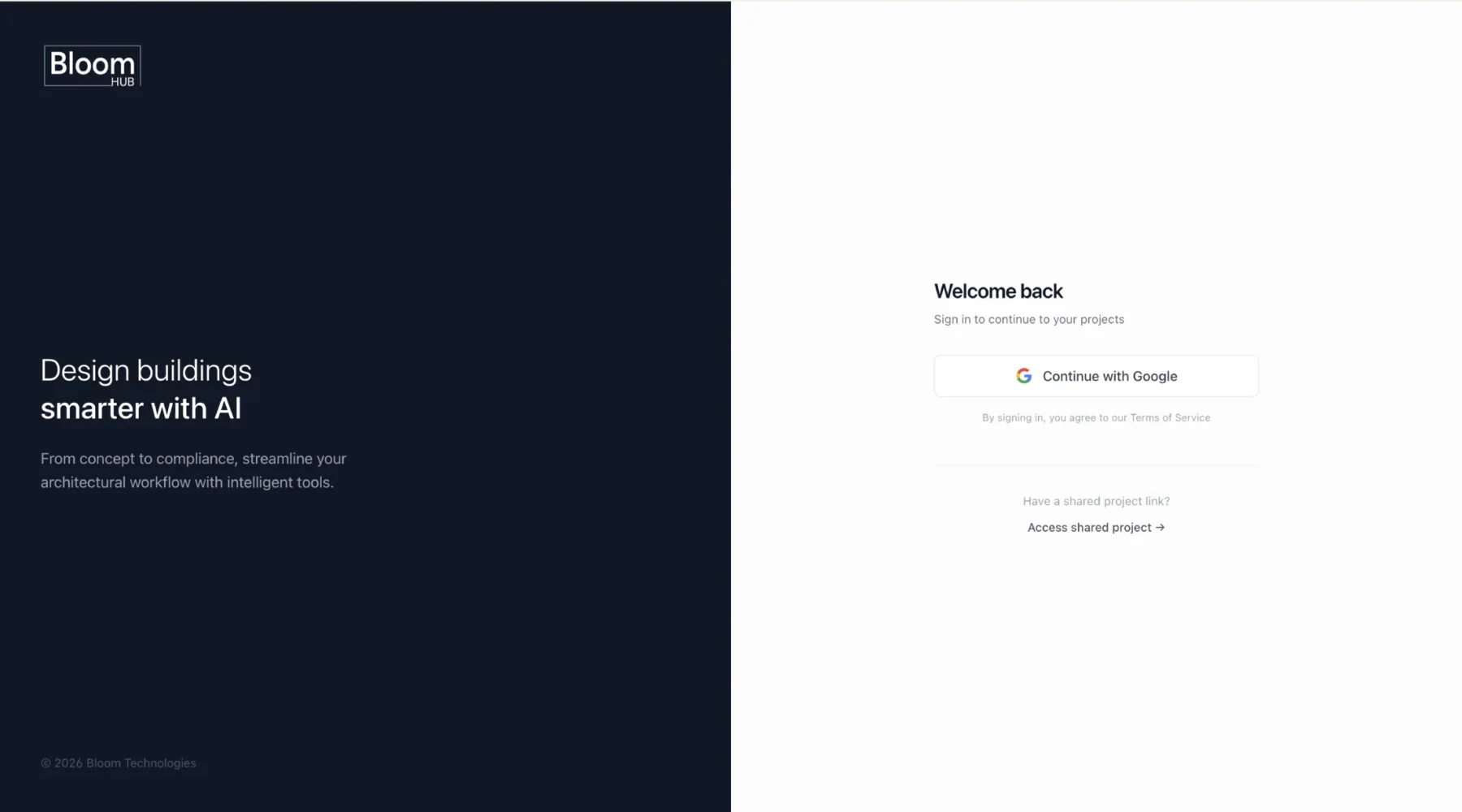
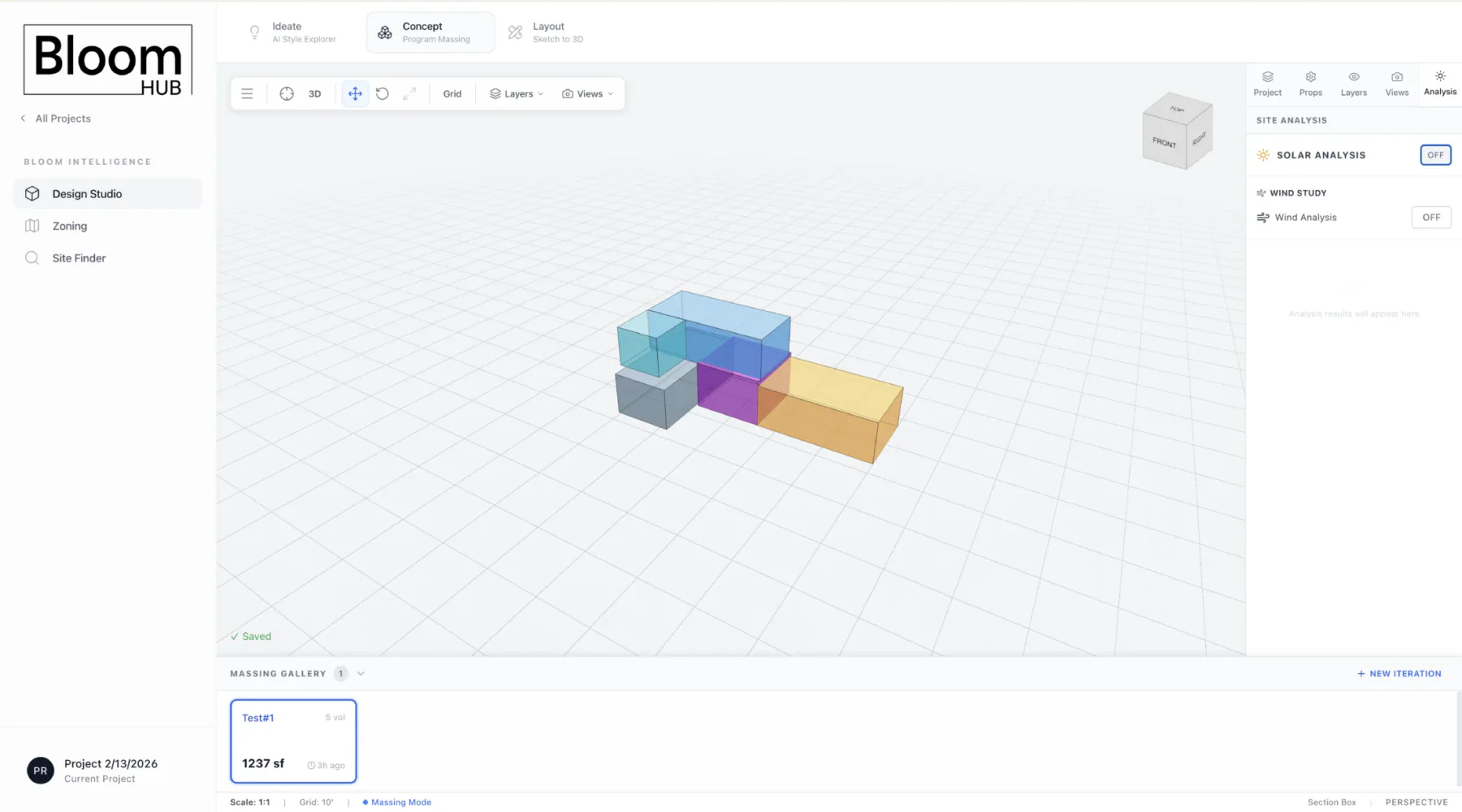
The design studio grouped ideation, concept massing, and layout generation. That matters because early design is not one linear feature. It is a loop between mood, mass, geometry, and constraints.
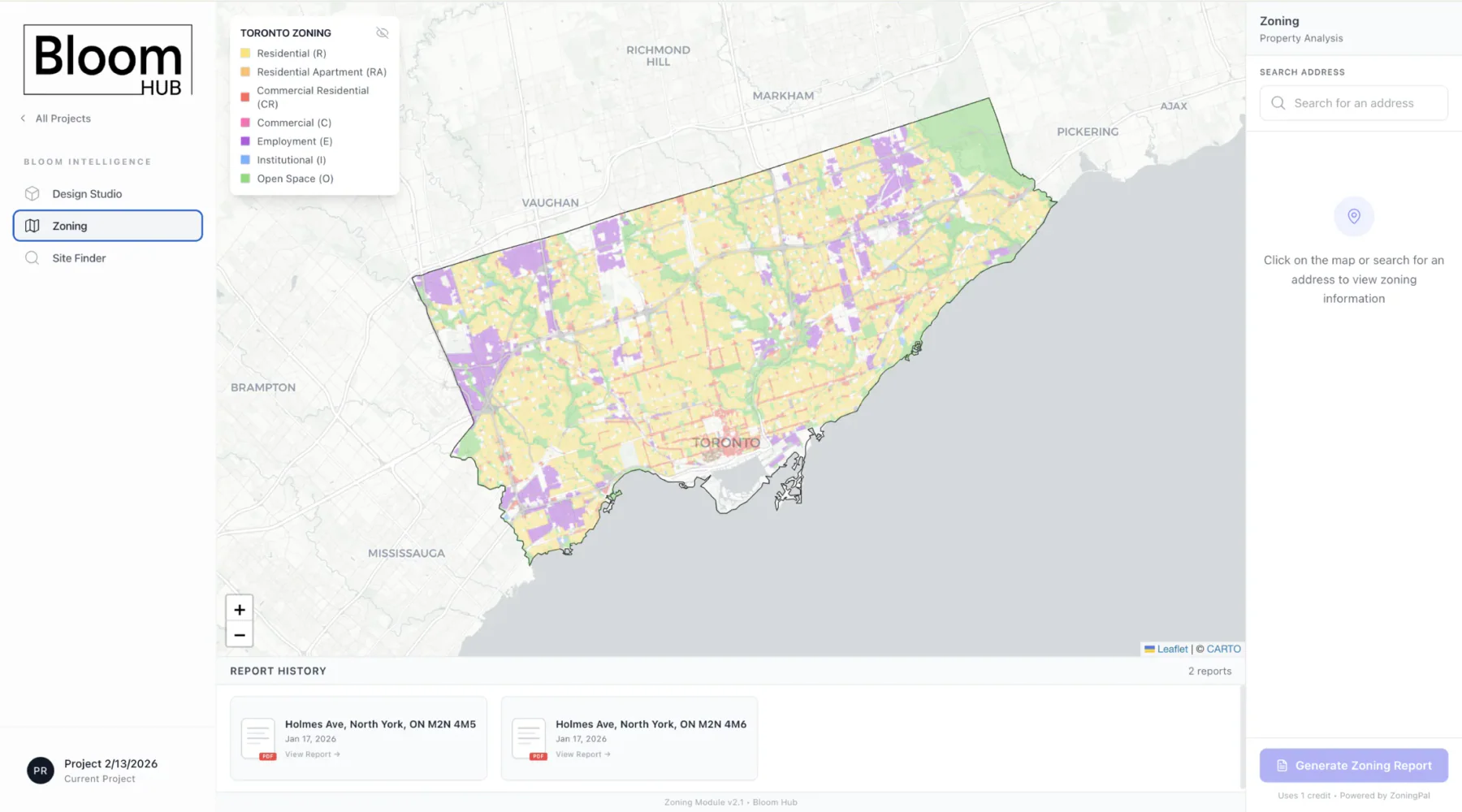
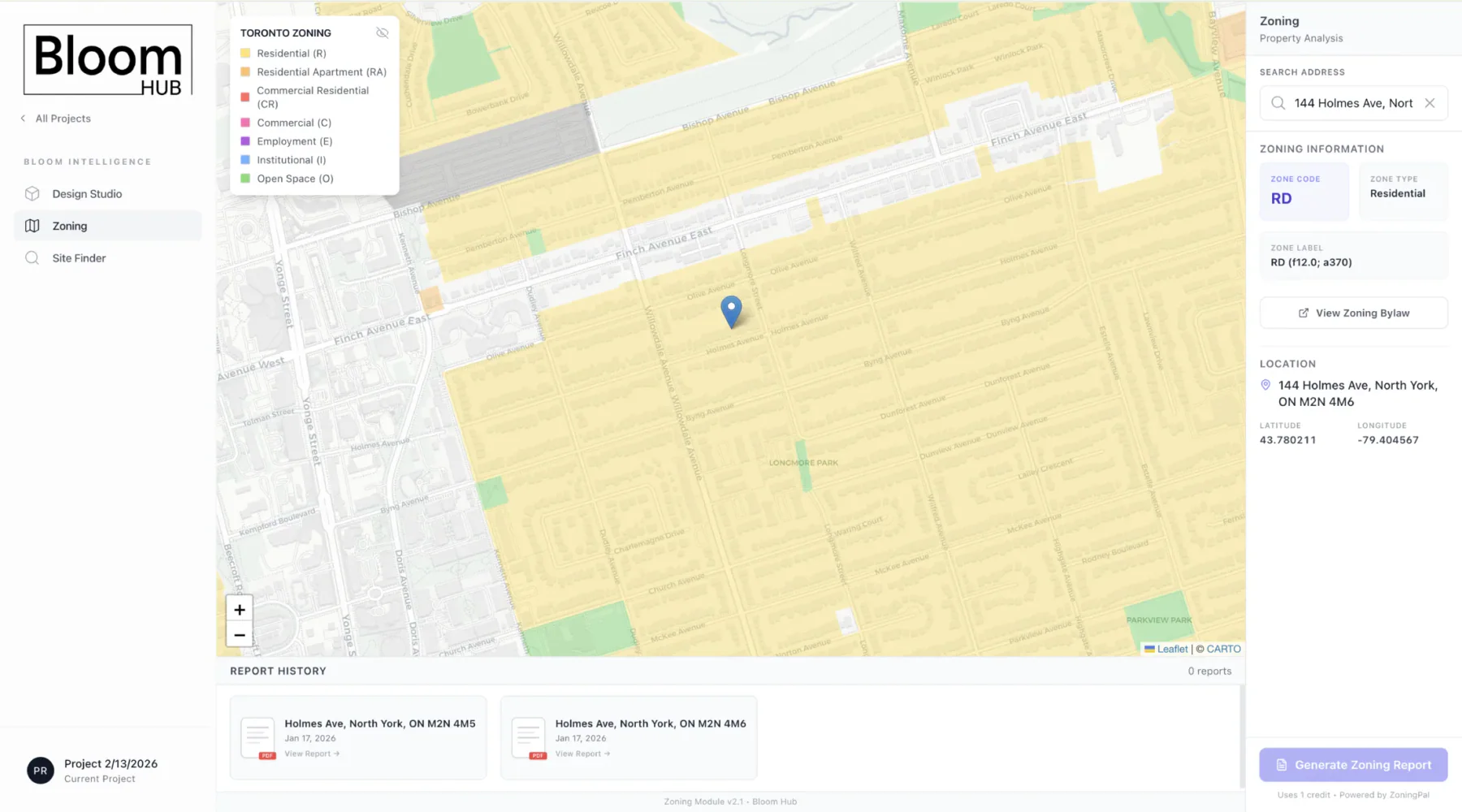
The zoning module let the workspace query property information and generate ZoningPal reports without leaving the Bloom Hub project environment.
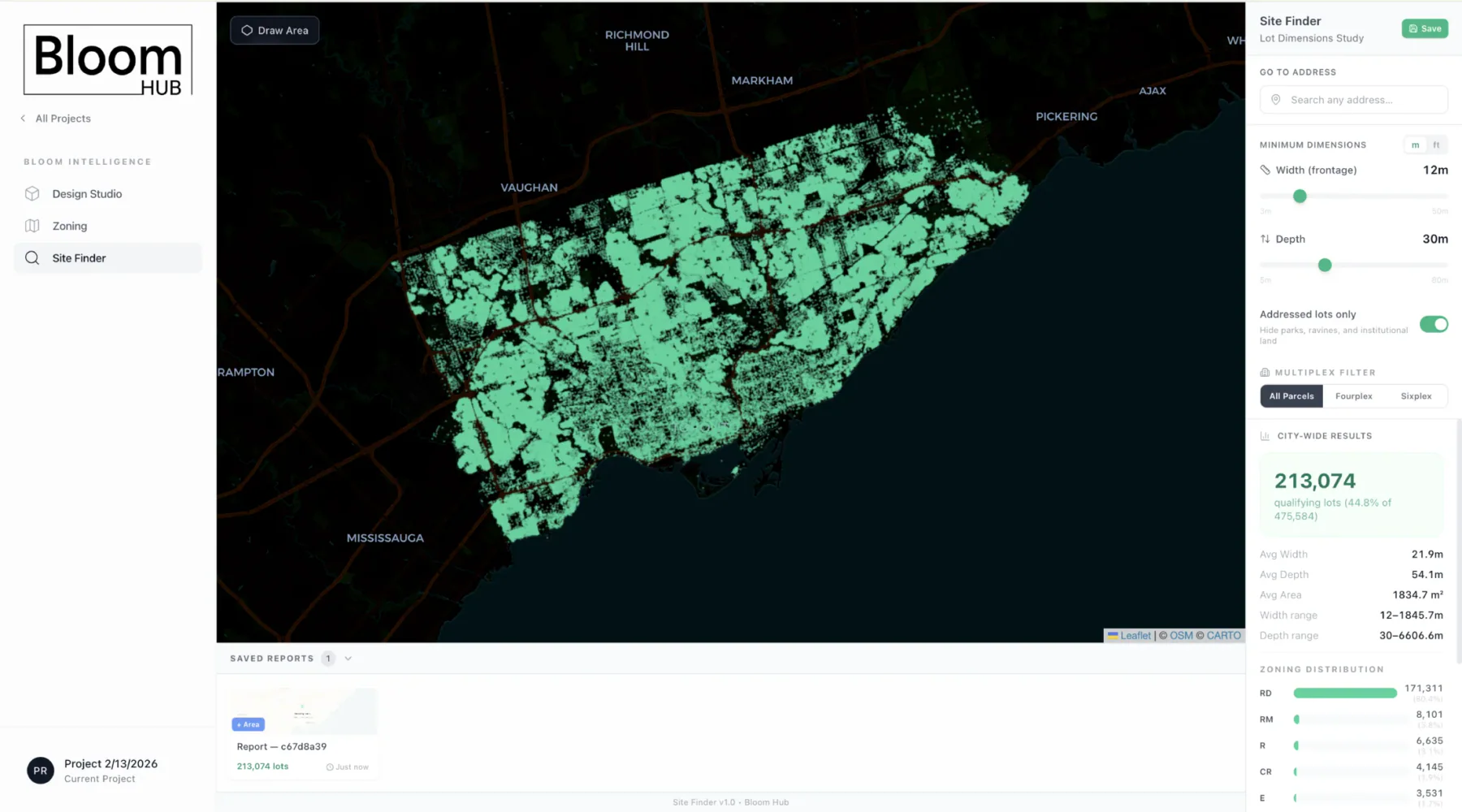
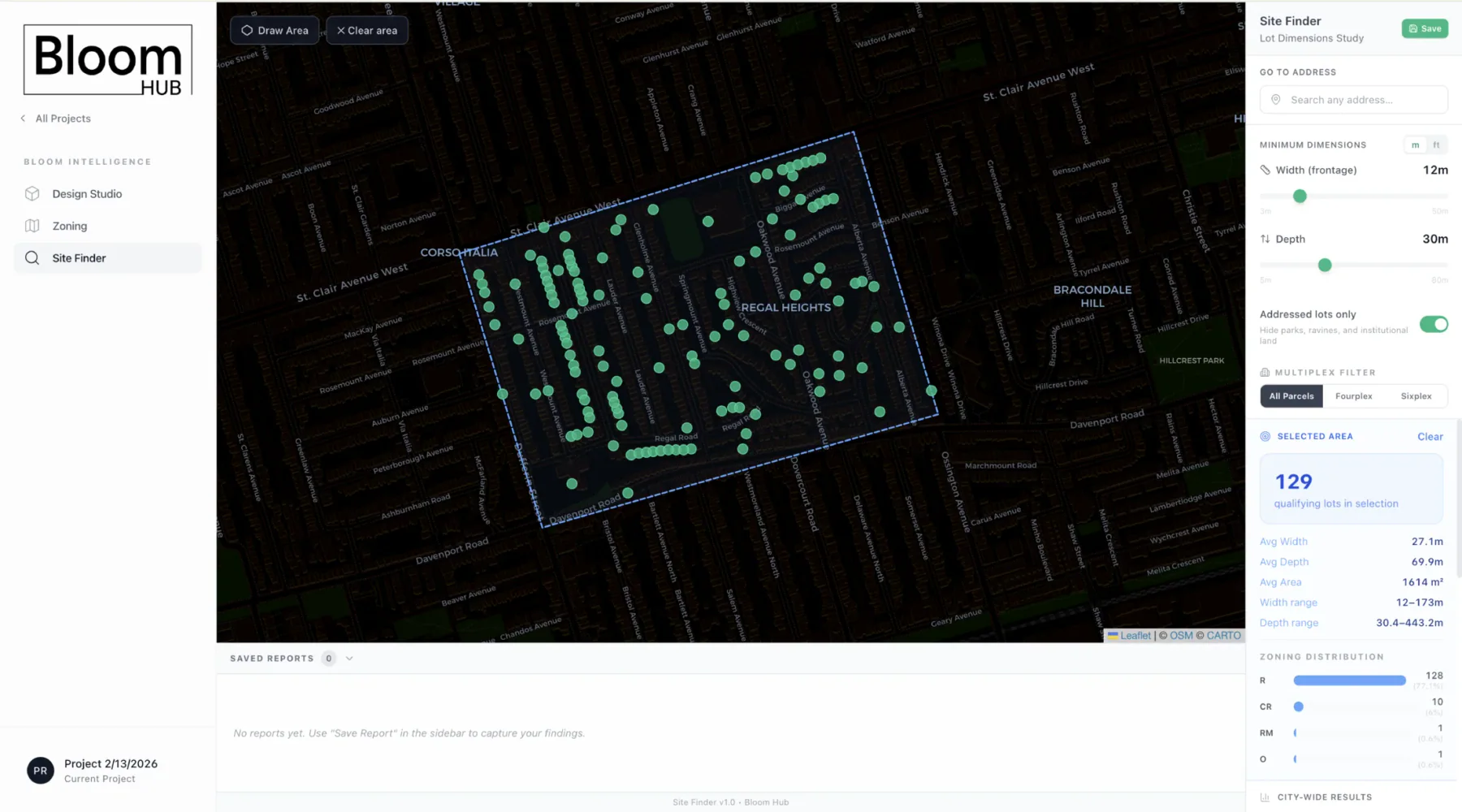
The site finder turned parcel dimensions and zoning filters into a design-research tool. It let Bloom look across Toronto before committing to a specific site.
The design side had to feel visual and fast, but the technical stack underneath was about structure: project state, editable 3D objects, semantic layout data, and exportable geometry.
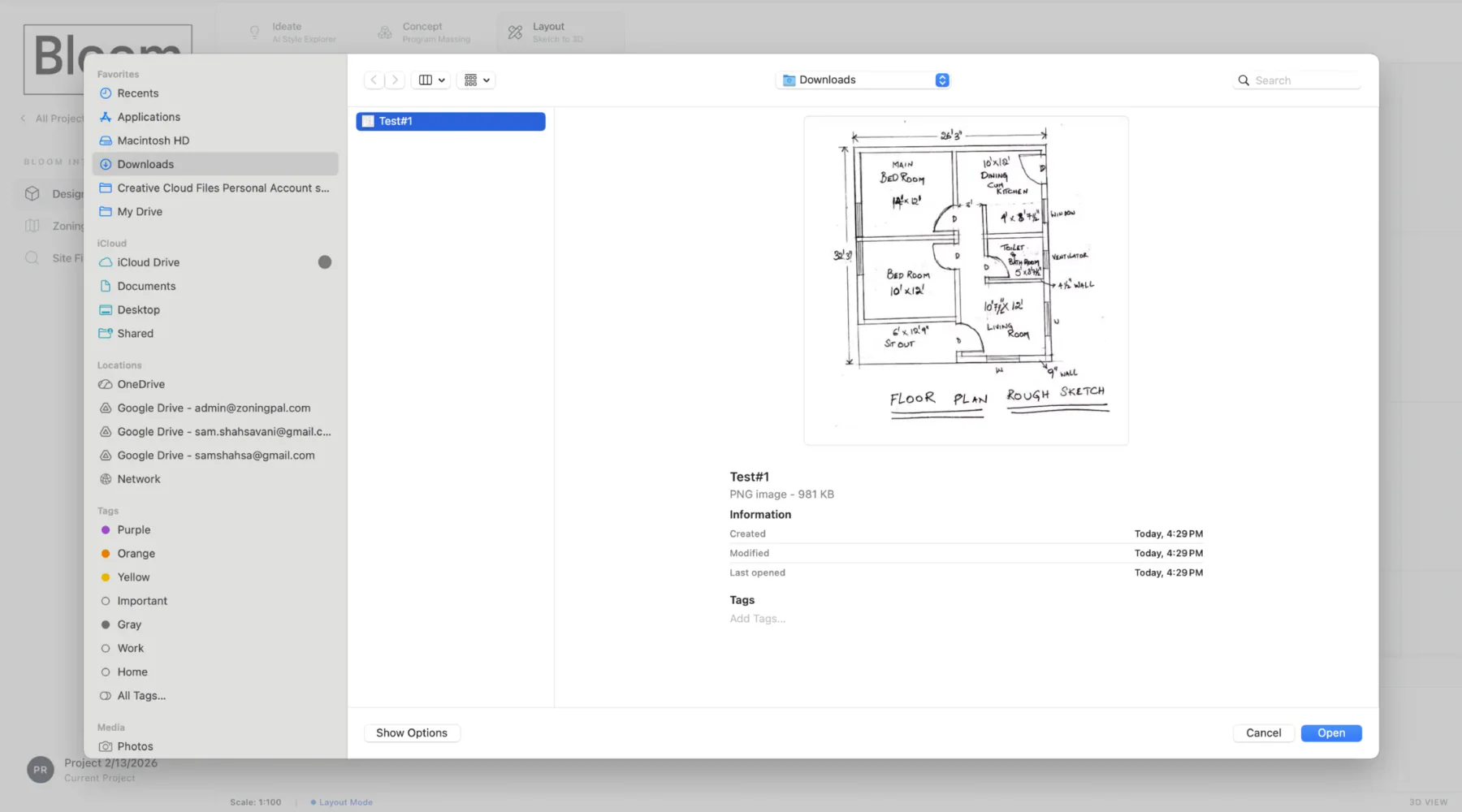
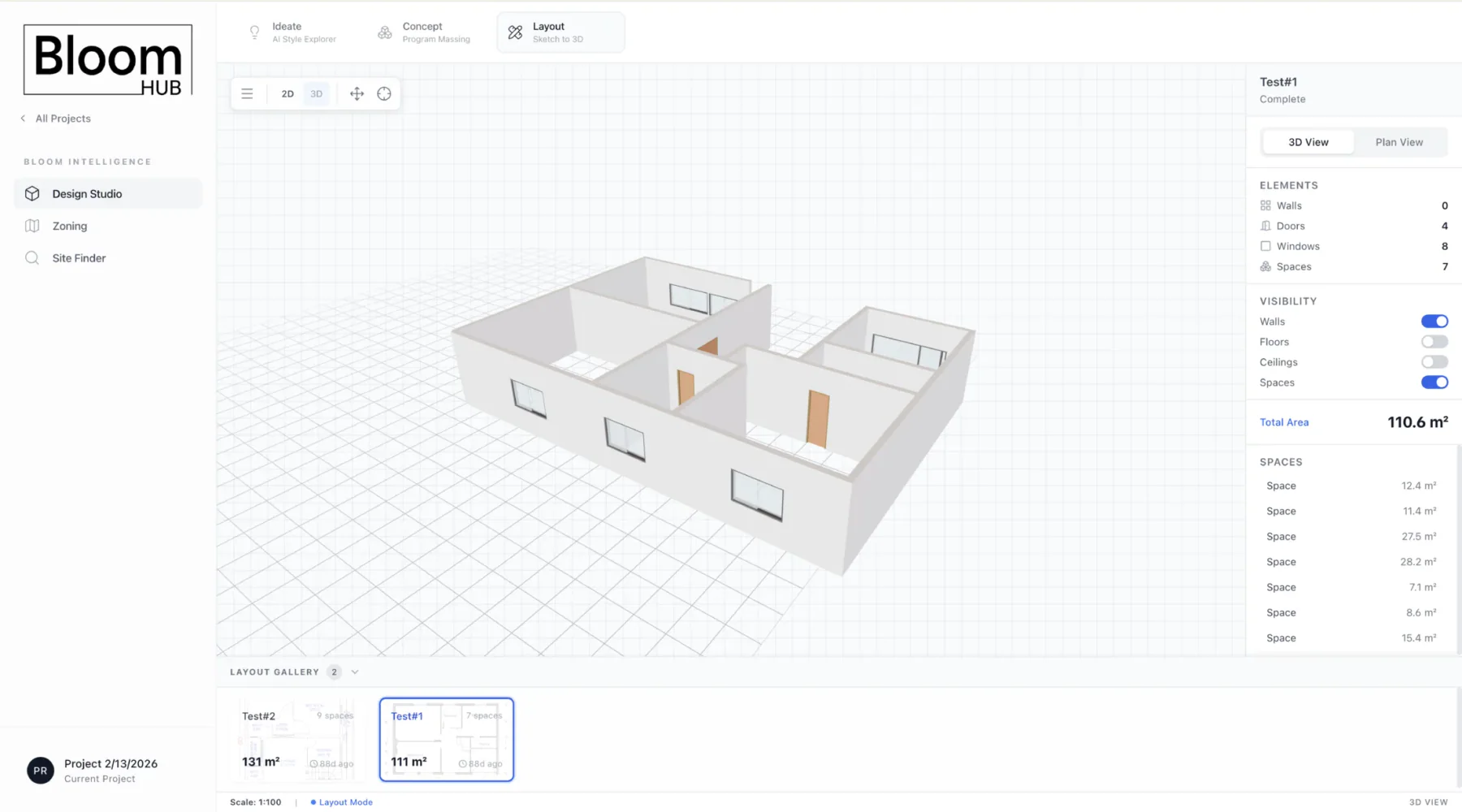
A floor-plan sketch is messy: lines are uncertain, dimensions can be partial, and meaning is not explicit. Bloom Hub treated that as a pipeline problem, not a magic button.
This sits in the same problem category as mature design-automation tools, but the focus here is narrower: a functional solo-built core architecture for sketch input, geometry extraction, semantic interpretation, model generation, and project persistence.
The upload flow creates a layout record, stores the source sketch, and starts a background processing job instead of treating the image as a loose file.
The pipeline traces walls, segments spaces, vectorizes geometry, detects rooms, reads dimensions, and aligns space polygons back to wall structure.
AI room labeling and wall classification turn raw geometry into semantic layout data: spaces, wall types, openings, scale, and usable project metadata.
Parametric walls, floors, ceilings, spaces, doors, and windows are assembled into a GLB preview with a BIM/IFC-oriented path behind it.
The model URL, floor-plan JSON, walls, spaces, thumbnail, status, and stats are saved back into the project context so the output can be reused.
Bloom Hub connected the ZoningPal report flow and a Toronto parcel finder into the same workspace, so design decisions and feasibility information lived beside each other.
Bloom Hub was built for a specific architecture practice, but the system itself was broad: design tools, site intelligence, zoning context, documents, and project-aware assistance.
Bloom Hub was built around the needs of Bloom Architects: early design exploration, site intelligence, zoning context, project documents, and AI assistance in one place.
The product architecture connected project context, AI design workflows, geometry generation, zoning intelligence, site search, storage, and chat in one workspace.
Bloom Hub shows both halves of the work: understanding what architects actually need, then building the interface, data model, geometry pipeline, and services that let those workflows live together in one place.