
BIM data orchestration for hospital rooms
On the Halifax Infirmary Expansion, I managed the B+H-side Revit-to-dRofus workflow that connected room content, equipment data, QA, and Room Data Reports.
A hospital room is not just geometry. It is also linked equipment, finishes, doors, windows, accessories, quantities, and database records.
Room Data Reports turned room-by-room model and planning data into submission-ready information.
Families needed the right geometry, shared parameters, item IDs, and dRofus links before reports could work.
The work included finding ghost data, duplicate geometry, door/window drift, and unlinked content before submission.
I translated the workflow into an internal explainer so the team could see why small data errors mattered.
The report is only as trustworthy as the hidden data behind it.
Room Data Reports look like a finished output, but they depend on every upstream handoff: families, shared parameters, dRofus IDs, room placement, schedules, and QA.
Need Identified
A room, equipment item, accessory, door, or finish requirement enters the workflow through project coordination, requests, cutsheets, or planning data.
Content Created
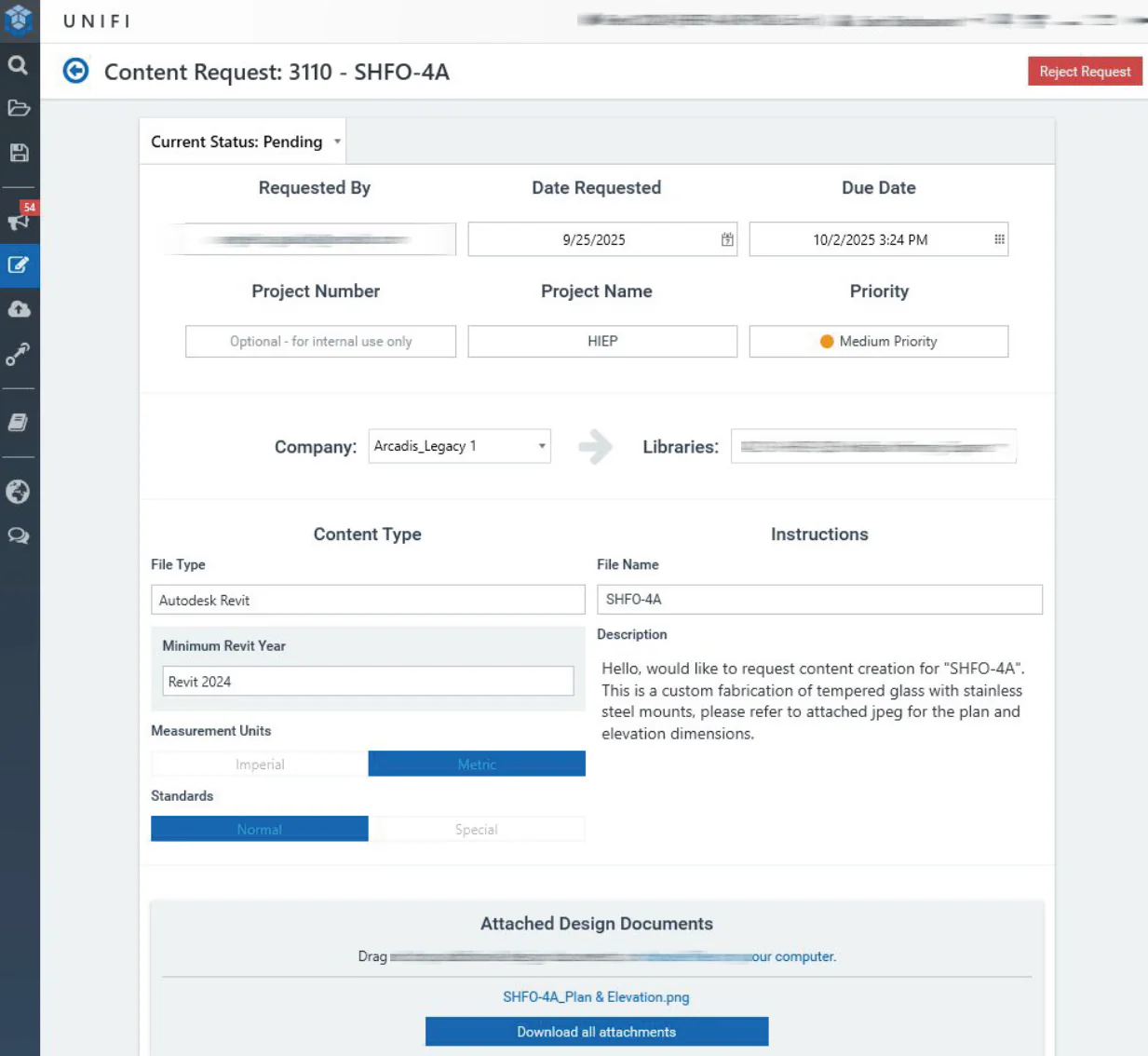
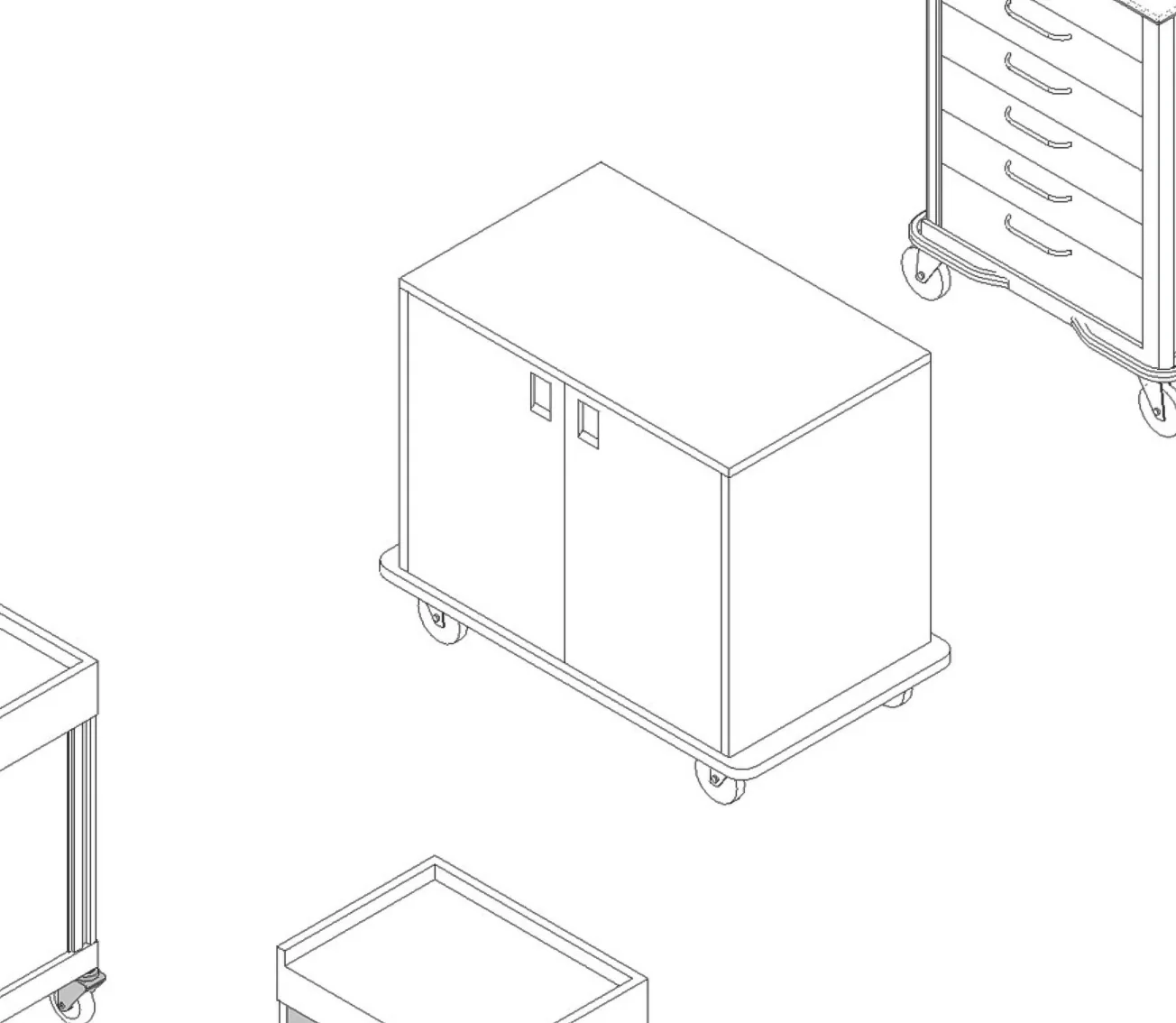
Revit families are built or refined with the shared parameters required by the project database schema.
Content Managed
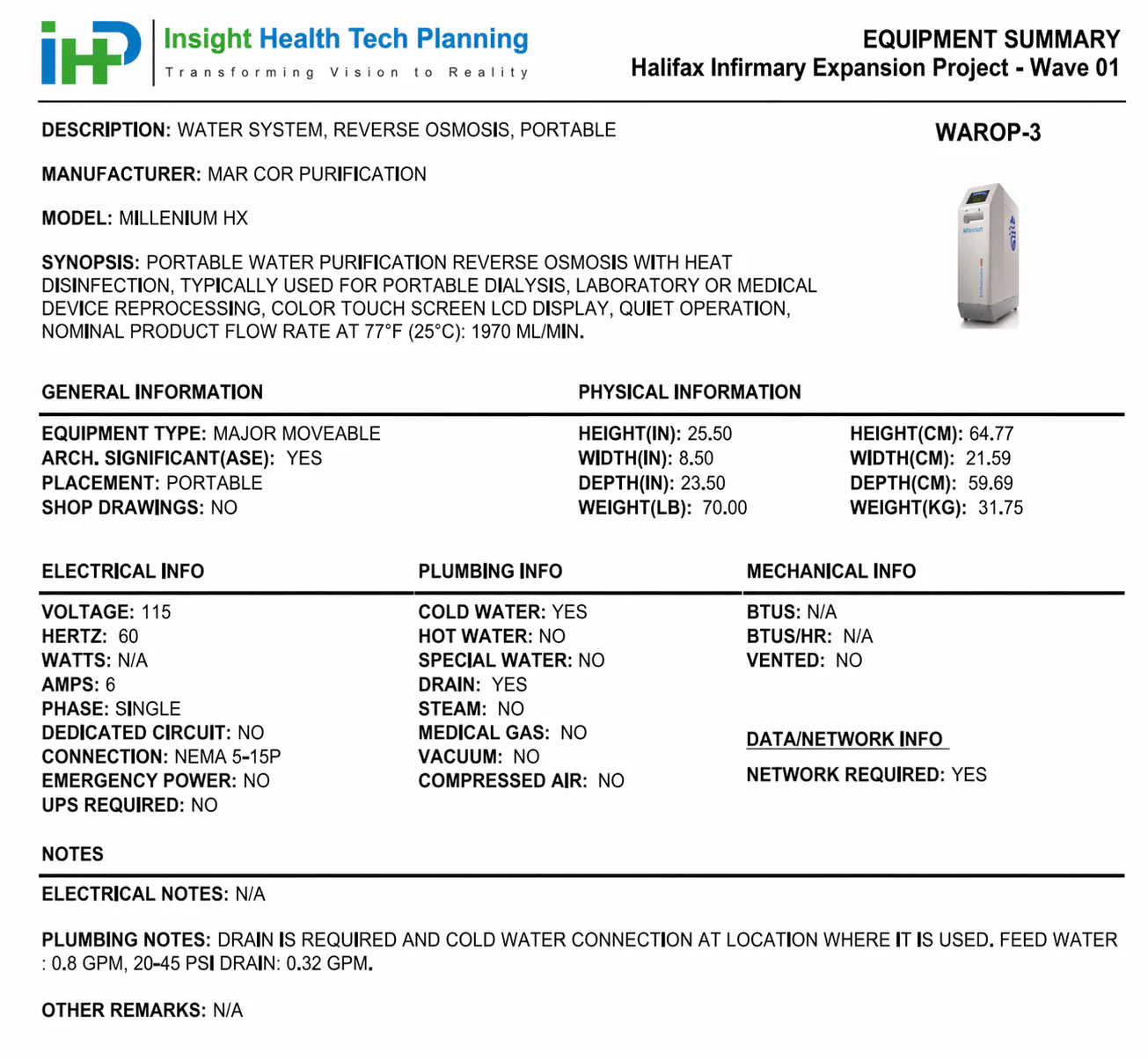
UNIFI and dRofus help keep the content request, library, item identity, and planning data connected.
Placed In Revit
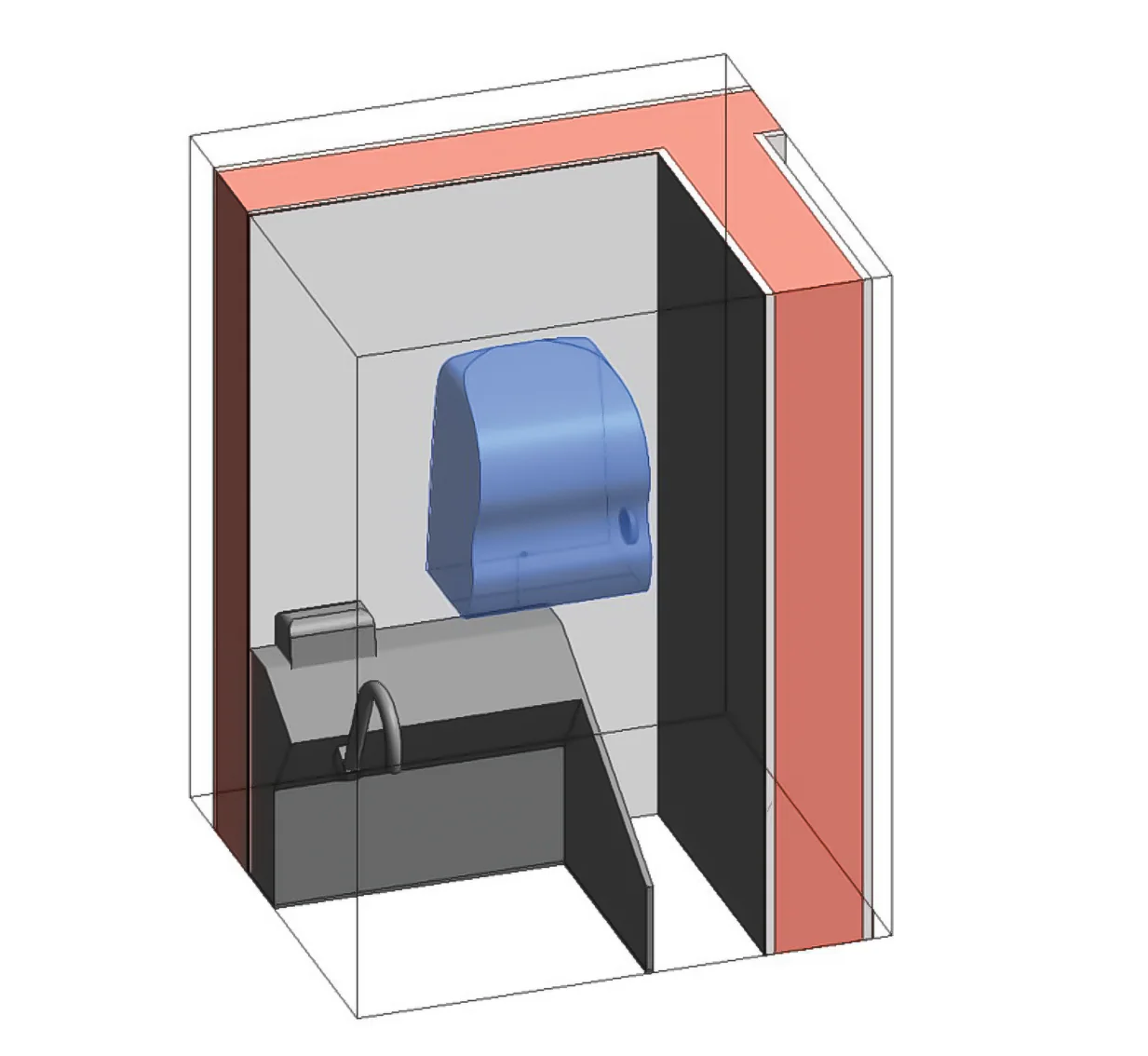
Families are placed in the architectural model so geometry, room context, and schedules reflect the current design.
Linked + QA'd
The model is checked against dRofus for missing links, duplicate items, stale quantities, and mismatched identifiers.
Reported
Room Data Reports aggregate the current room state into a deliverable that the builder and project team can use.
From request to usable model content
The content side was the foundation: understand the requirement, build the family, carry the right parameters, and make sure it could be placed and recognized downstream.
More than syncing
The data work was in the mismatches: missing links, old quantities, duplicate geometry, door/window changes, and records that no longer reflected the current model.
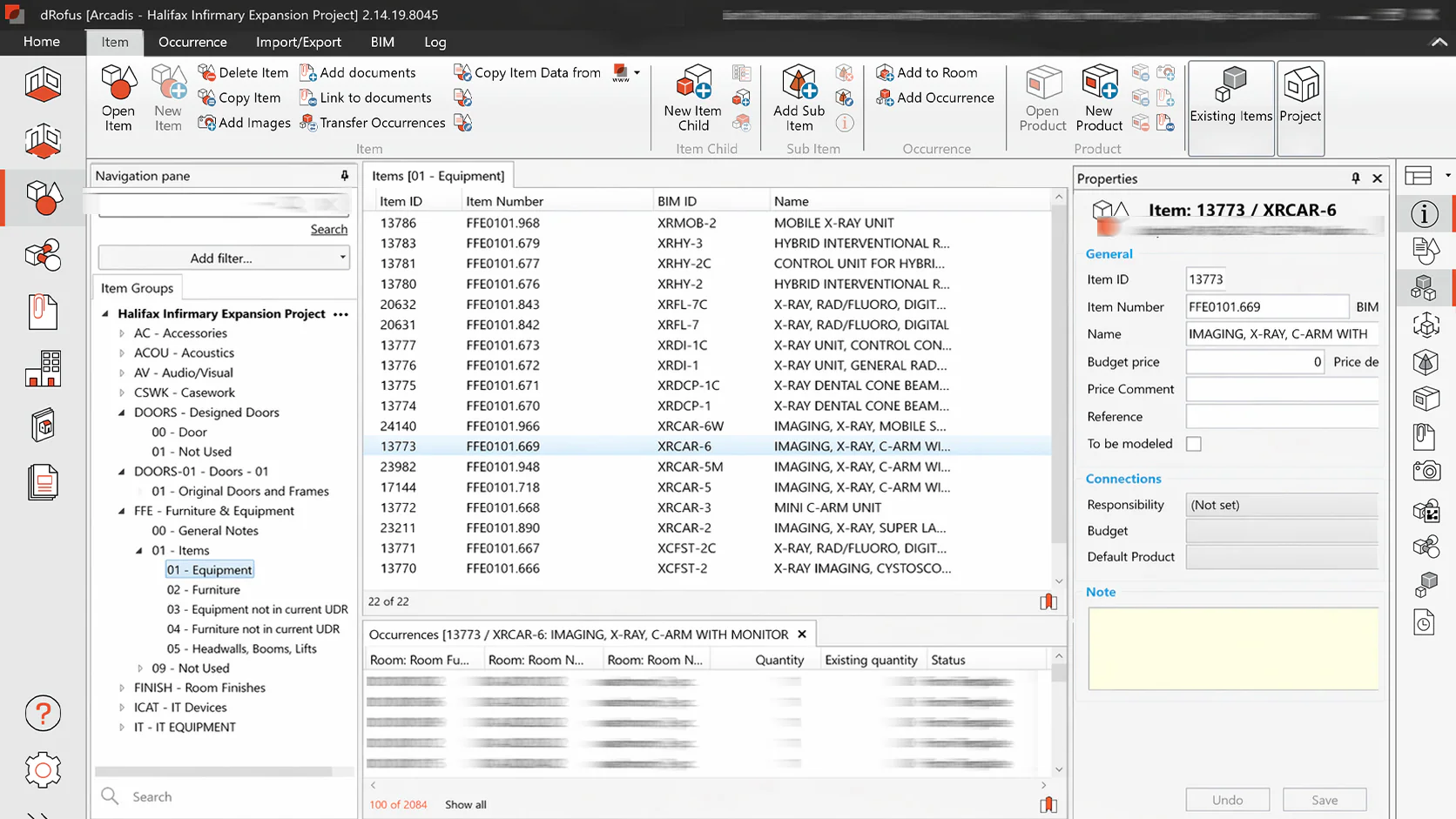
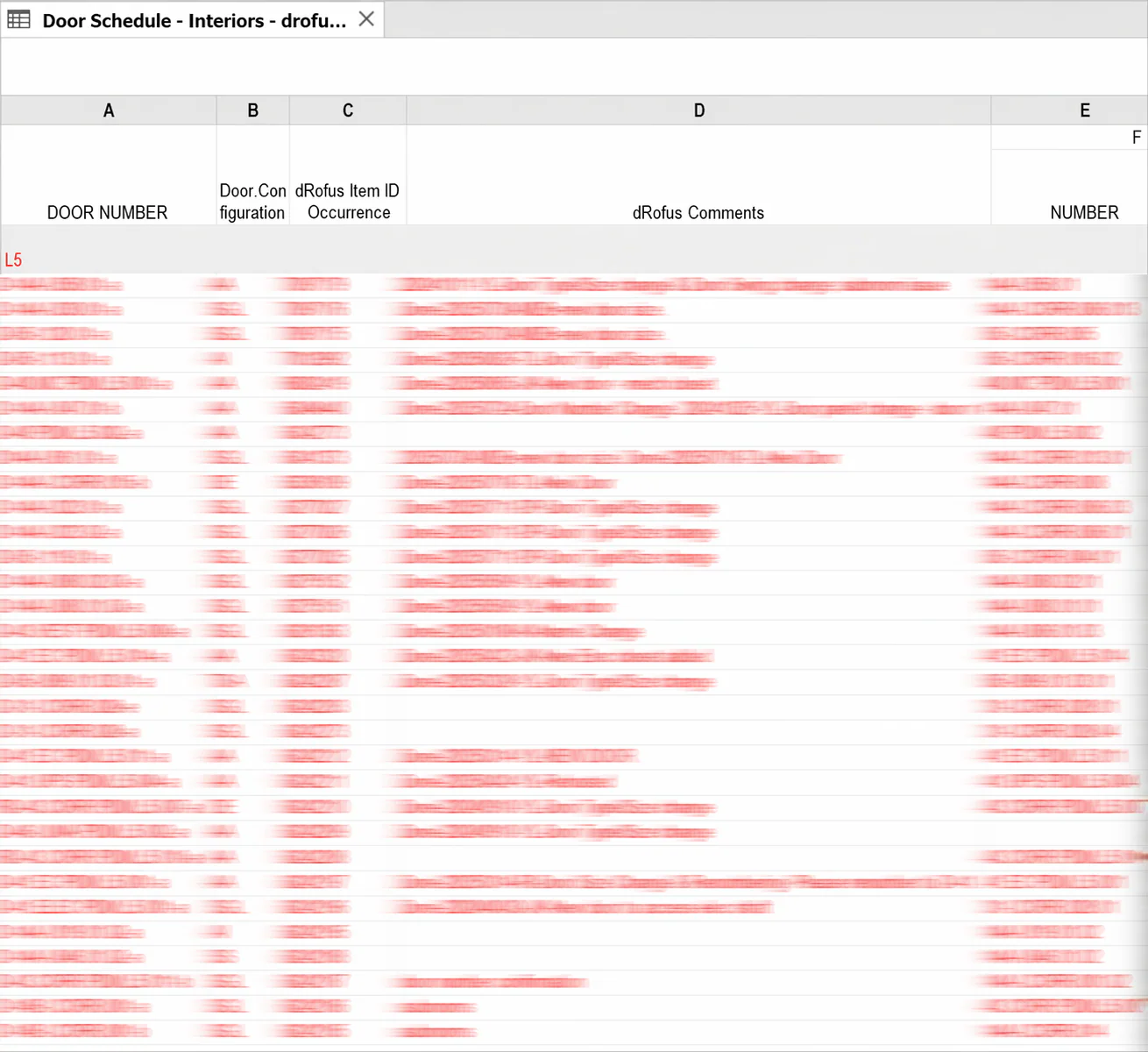
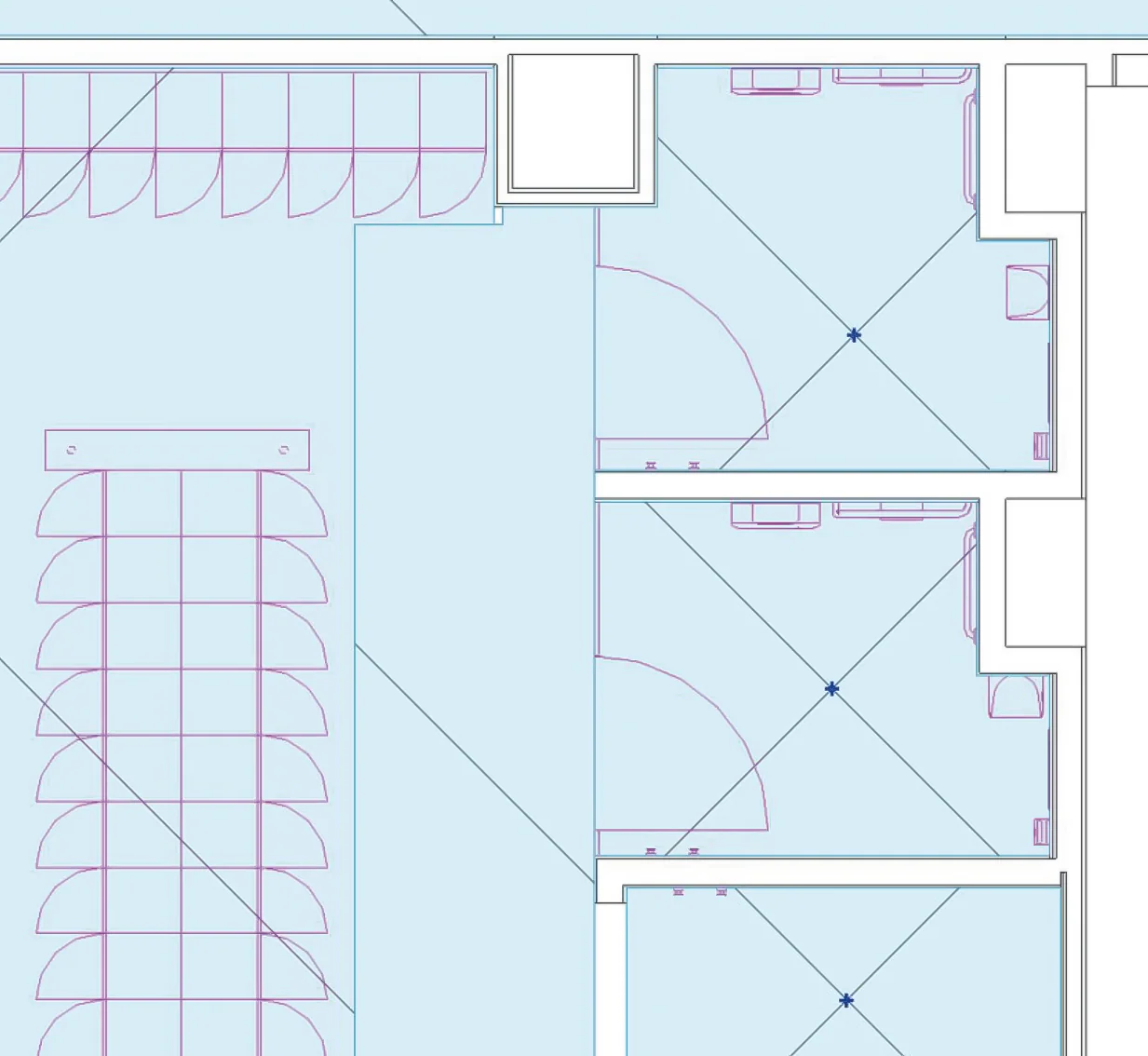
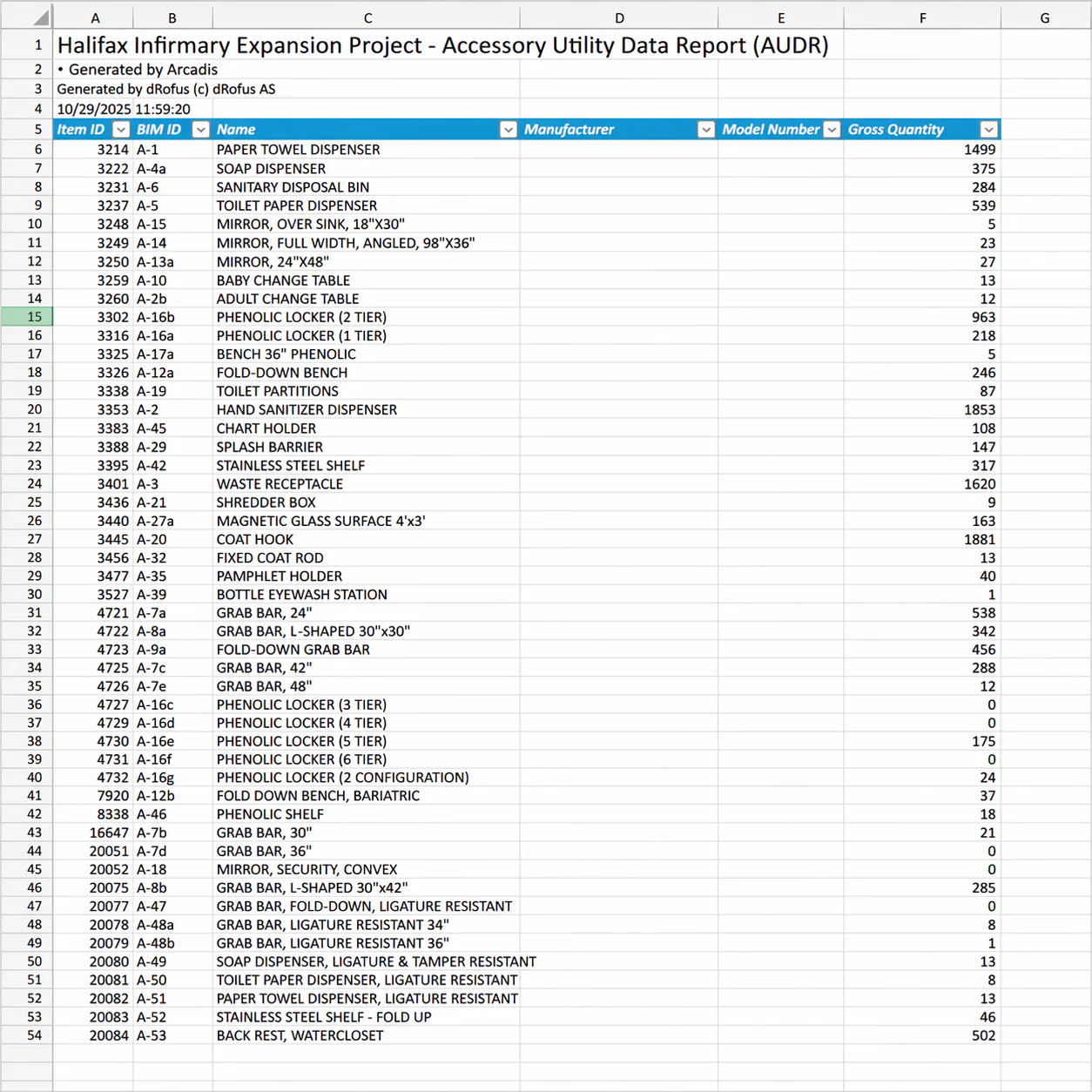
Room Data Reports made the invisible workflow visible.
The RDR pulls the whole workflow into one room-level output. The report pages below reconstruct the report format with modified values, paired with the AUDR view shown above.
Room Data Report - RDR
PCL Submission - Ver 3.2
- Room Number
- 08-02.01
- Room Name
- Consult / Exam Room
- Department
- Public Sample Clinical Unit
- Room Classification
- RC-270 · Modified sample
- Model Name
- HIEP-PUBLIC-SAMPLE
Areas
| Name | Value | RFI Number |
|---|---|---|
| Programmed Area | 130.00 | PUB-RFI-001 |
| Designed Area | 130.87 | PUB-RFI-002 |
| Area Variance % | .67 | PUB-RFI-003 |
RDS
| Group | Value | RFI Number |
|---|---|---|
| Ceiling Height | 2700 mm | PUB-RFI-011 |
| RFI Shielding | Radiation shielding: no | PUB-RFI-012 |
Acoustics
| Name | Value | RFI Number |
|---|---|---|
| Room STC | 50 | PUB-RFI-021 |
| NC Rating and Reverberation Time | Refer to acoustic performance section | PUB-RFI-022 |
Wall Protection
| Group | Name | RFI Number |
|---|---|---|
| Sheet Protection | SR-215 mm | PUB-RFI-026 |
| Sheet Behind Sink | PVCu-215 mm | PUB-RFI-027 |
Room Finishes
| BIM ID | Name | RFI Number |
|---|---|---|
| EF-1 | Epoxy flooring, multicolour | PUB-FIN-031 |
| INC-1 | Integral cove base, 150 mm height | PUB-FIN-032 |
| PT | Paint, washable latex | PUB-FIN-033 |
| GWB-2 | Moisture-resistant gypsum board | PUB-FIN-034 |
| EP-5 | Paint, epoxy | PUB-FIN-035 |
| GB-2 | Moisture-resistant ceiling board | PUB-FIN-036 |
public.sample@portfolio.local
Room Data Report - RDR
PCL Submission - Ver 3.2
- Room Number
- 08-02.01
- Room Name
- Consult / Exam Room
- Department
- Public Sample Clinical Unit
- Room Classification
- RC-270 · Modified sample
- Model Name
- HIEP-PUBLIC-SAMPLE
Doors
| Name | Number | Frame | Panel | QTY |
|---|---|---|---|---|
| Single 1220x2135 | D-08-021-A | 45 STO-105.7501 | P01 / P5 | 1 |
Interior Windows
| Name | Number | Frame | Glazing | Treatment |
|---|---|---|---|---|
| No interior window | - | - | - | - |
Millwork
| Name | Yes | No |
|---|---|---|
| Millwork in room | x |
Stainless Steel Casework / Modular Casework
| Item Group | BIM ID | Name | QTY |
|---|---|---|---|
| Lower | SBS-1 | Base cabinet, sample | 1 |
| Upper | SOF | Wall cabinet, sample | 1 |
MEP-01
| BIM ID | Name |
|---|---|
| A-HBR-00 | Refer to abbreviations and definitions |
| A-PLU-00 | Plumbing fixtures: assignment schedule |
| CHM-2 | Chemical room: no |
| CSH-1 | Sprinkler head type: concealed |
| LTG3 | Lighting target type: solid rooms |
public.sample@portfolio.local
Room Data Report - RDR
PCL Submission - Ver 3.2
- Room Number
- 08-02.01
- Room Name
- Consult / Exam Room
- Department
- Public Sample Clinical Unit
- Room Classification
- RC-270 · Modified sample
- Model Name
- HIEP-PUBLIC-SAMPLE
Lighting
| BIM ID | Name |
|---|---|
| LT06 | Lighting type 06 · Direct lighting |
| FAT00 | Fire alarm type 00 · No FA |
HVAC
| BIM ID | Name |
|---|---|
| HVAC-1 | Clinical support space · solid utility |
| TEMP | Temperature monitor: yes |
| EXH | Exhaust requirement: standard |
| ALM | Alarm action: N/A |
Hand Hygiene Sink
| BIM ID | Name |
|---|---|
| HHS-1 | Hand hygiene sink |
| EW-1 | Emergency eyewash · wall |
| S-5 | Sink · hopper |
ICAT-01
| BIM ID | Name |
|---|---|
| NC-0 | Nurse call: no nurse call |
| VS0 | Video surveillance: none |
| PB00 | Panic button: none |
| A-DATA-00 | Data drop quantities by room type |
public.sample@portfolio.local
Room Data Report - RDR
PCL Submission - Ver 3.2
- Room Number
- 08-02.01
- Room Name
- Consult / Exam Room
- Department
- Public Sample Clinical Unit
- Room Classification
- RC-270 · Modified sample
- Model Name
- HIEP-PUBLIC-SAMPLE
Accessories
| BIM ID | Name | Quantity |
|---|---|---|
| A-1 | Paper towel dispenser | 2 |
| A-2 | Hand sanitizer dispenser | 1 |
| A-3 | Soap dispenser with drip tray | 2 |
| A-4 | Waste receptacle | 1 |
Report QA
| Check | Result |
|---|---|
| dRofus link | Matched to current public sample room record |
| Quantity check | No duplicate accessories in sample room |
public.sample@portfolio.local
The journey of an accessory
This diagram is simple, but it is the best explanation of the system: need, family creation, Revit placement, dRofus QA, aggregation, and report output.
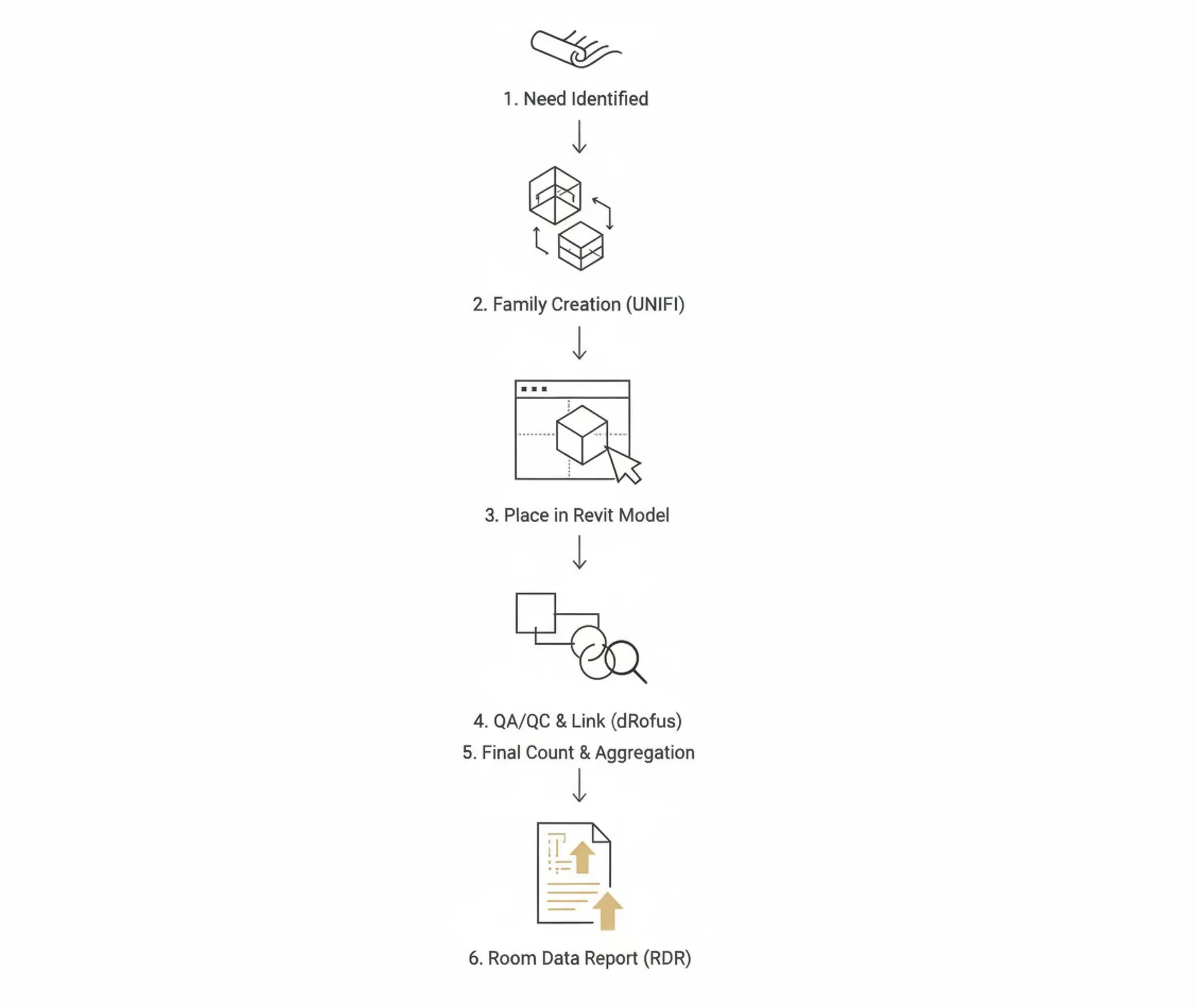
One defined workflow inside a larger delivery system.
My role focused on B+H-side data workflow leadership: content, links, QA, reports, and team communication within a larger multi-firm delivery structure.
One side of a multi-firm system, run end to end
My role covered the B+H-side workflow under Arcadis as prime consultant: content, links, QA, reports, and coordination across the room-data handoff.
A source-of-truth workflow between content, data, QA, and reports
The work connected Revit families, shared parameters, dRofus records, placement checks, discrepancy cleanup, and Room Data Report outputs.
Messy AEC data systems become useful when the hidden dependencies are made visible.
The work depended on understanding the source-of-truth problem, keeping content and data aligned, QAing the handoffs, and explaining the system clearly enough for a team to use it.